Remote support
Run support sessions from the browser, with the customer in control of what you can do.
Connect with customers, troubleshoot computers remotely, and provide technical support from anywhere.
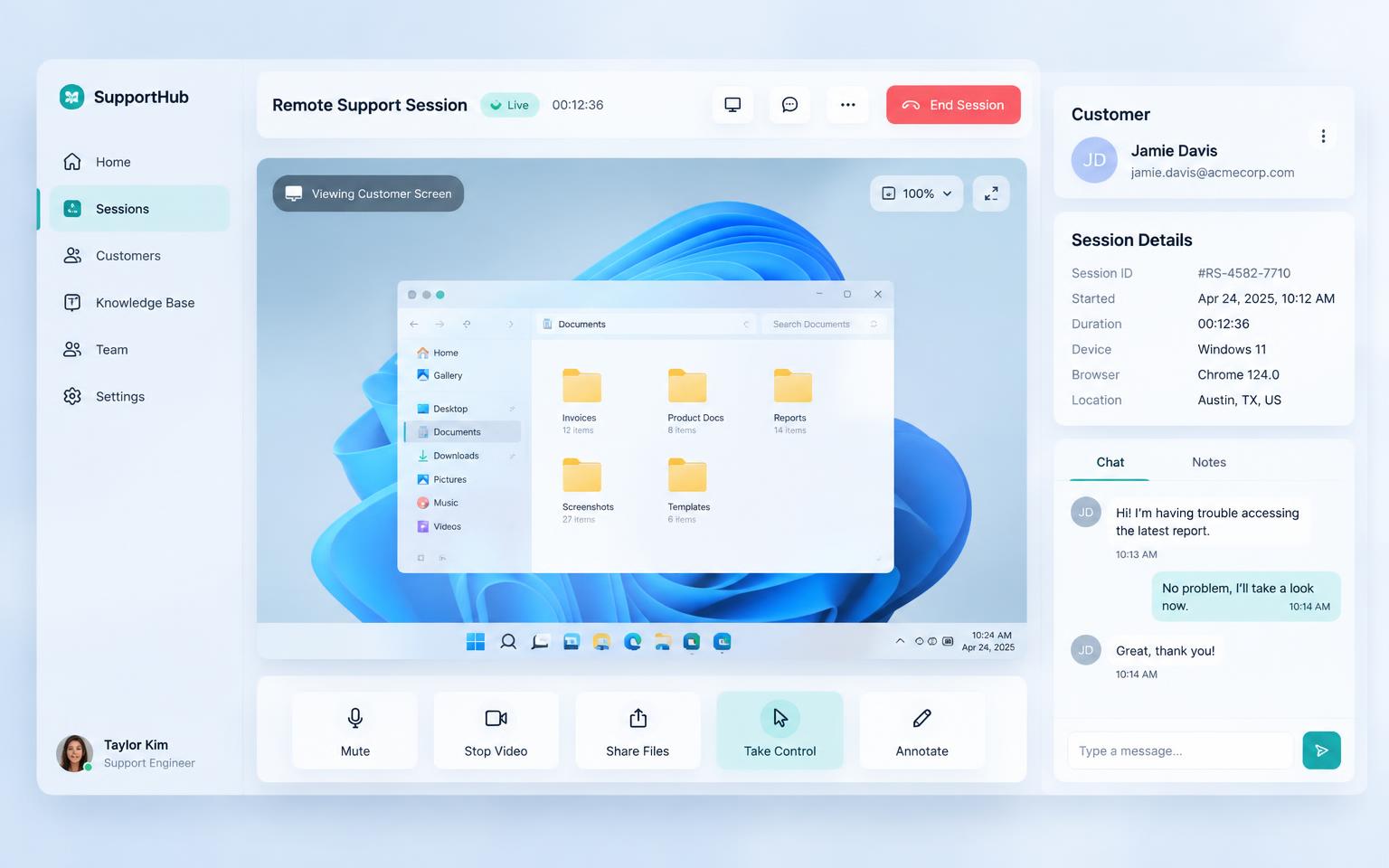
Create a session and generate a temporary code.
Share the secure code with your customer.
The customer explicitly approves access.
Start supporting, then let the code expire.
Run support sessions from the browser, with the customer in control of what you can do.
Nine-digit codes generated on the server, tied to one session, expiring on their own clock.
Screen view, mouse, keyboard, files and clipboard are requested and approved separately.
Every session, its consent decision and its outcome, kept for later review.
Register the machines you support. Live status arrives with the RemoteLink Agent.
Move files between both machines during a session.
Live screen viewing and remote control depend on the RemoteLink Agent, which is not released yet.
RemoteLink is designed so a customer always knows who is asking, what is being requested, and how to stop it.
Explicit consent
Nothing happens until the customer approves the request.
Temporary codes
Generated server-side, short-lived, and single-session.
Permission-based access
Access is granted per capability, never as a blanket grant.
Session expiration
Every session closes on its own clock.
Secure communication
Session data travels over encrypted connections to our backend.
Connection visibility
Both sides see the same live session state, start to finish.